100% Free & Open Source · Engineered for 100MB+ & Multi-Gigabyte Files
Instant-Open Gigabyte Files. Zero Lag. Zero Crash.
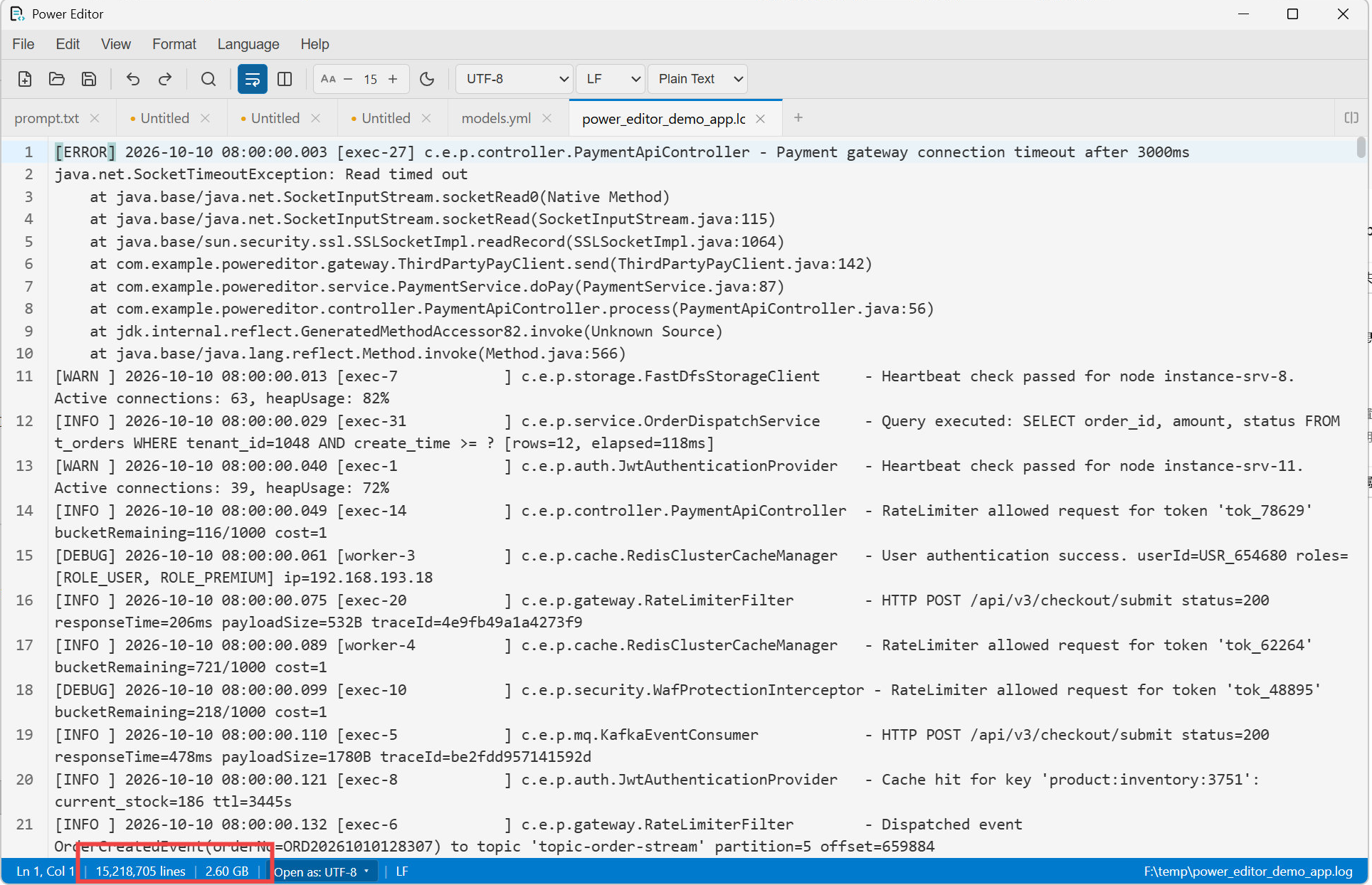
Engineered with Rust and Tauri 2.0. Power Editor pairs a memory-mapped B-tree Rope buffer with virtual viewport rendering to stream multi-gigabyte logs in milliseconds, and provides native real-time dual-pane Markdown editing with synchronized scrolling. Full UltraEdit Wordfile syntax compatibility out of the box.
Traditional editors buffer whole files in memory or choke on single-threaded JavaScript engines. Power Editor leverages Rust memmap2 and SIMD acceleration for instant responsiveness.
Benchmark Dataset: Select File Size to Compare
Editor
Power Editor (Open Source)
VS Code
Notepad++
UltraEdit (Commercial)
File Open Latency
0.28sFastest
4.8s (laggy)
2.1s
1.2s
RAM Consumption
86 MBMinimal
680 MB
340 MB
180 MB
Full-Text Regex Search
1.4sSIMD Speed
12.5s
6.8s
3.1s
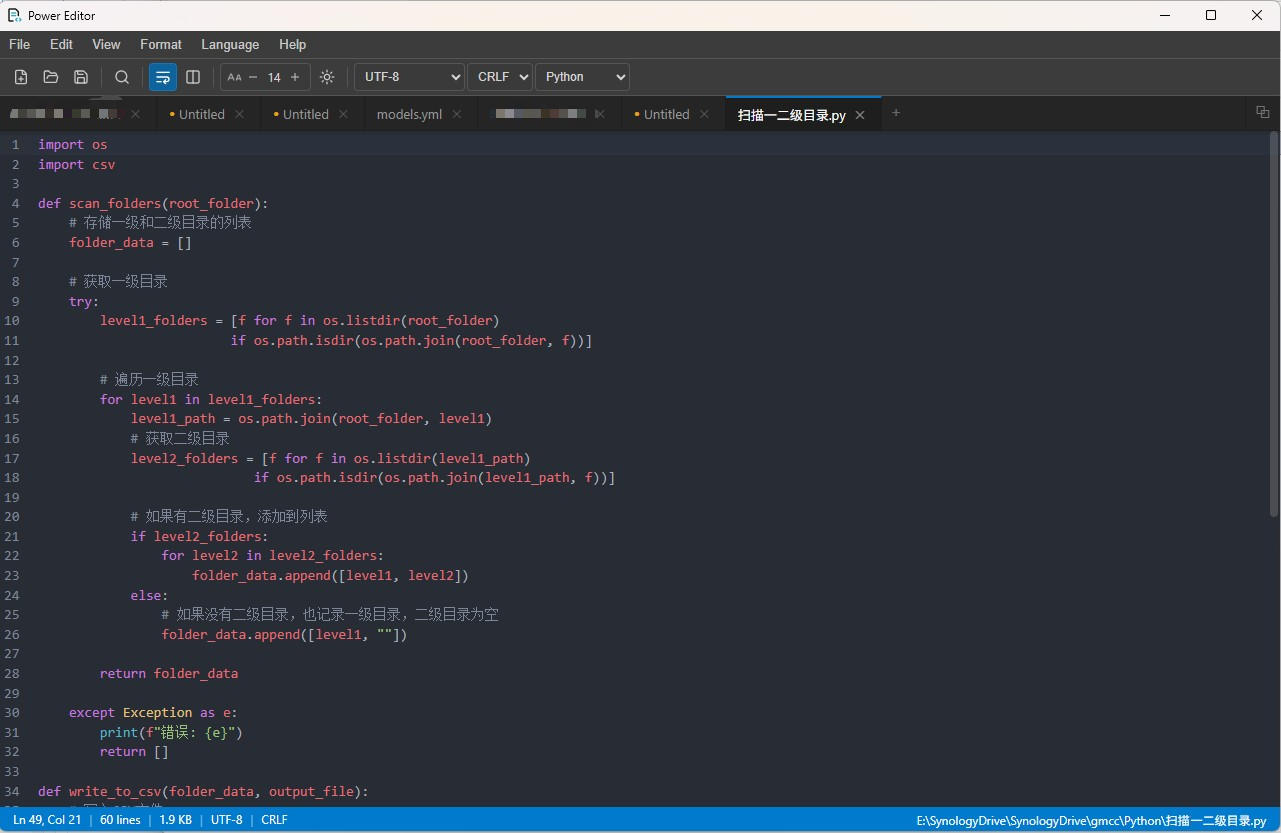
UltraEdit Wordfile (.uew)
Native Import
Not Supported
Not Supported
Native
Price / License
100% Free (MIT)
Free (Telemetry)
Free (GPL)
$99.95 / yr
* Benchmark tested on Intel i7-13700H, 32GB RAM, Windows 11. Results on macOS and Linux show equivalent performance ratios.
Core Architecture
Built From the Metal Up for Extreme Performance
No bloated browser engines. No garbage collector pauses during search. Pure Rust I/O combined with lightweight modern UI.
Real-Time Markdown & Scroll Sync
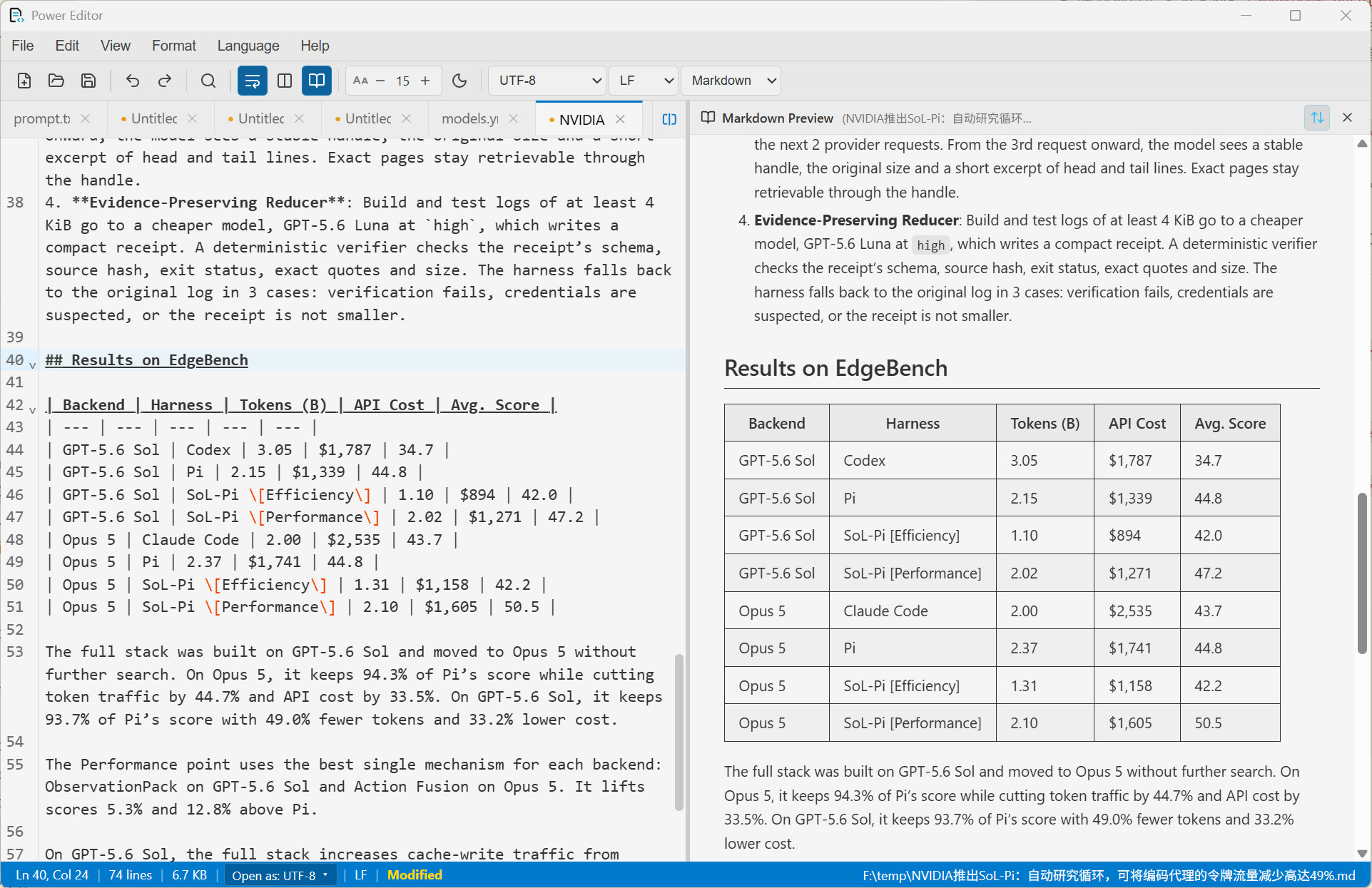
Instant dual-pane live preview with Ctrl+Shift+V. Features smooth line-interpolated scroll synchronization, full GFM tables, task lists, blockquotes, local image asset rendering, and multi-language syntax-highlighted code fences without heavy electron bloat.
Ctrl+Shift+VScroll SyncGFM TablesLocal Images
Obsidian Wikilinks & Vault Folders
Open any folder inside your Obsidian vault with Power Editor and use it as a fast, lightweight notes editor. [[wikilinks]], [[note#Heading|alias]] and ![[image.png]] embeds are understood in the preview: click to jump between notes, resolve vault-relative and shortest-path names, and render vault images. In the editor, Ctrl+Click follows a link. Your .md files stay plain files, with no lock-in.
Powered by the ropey data structure and memory-mapped files (memmap2). Rather than reading gigabytes into continuous memory, Power Editor loads only the visible viewport with zero memory explosion.
ropeymemmap2CodeMirror 6
Hardware SIMD Regex Search Engine
Leveraging Rust's AVX2 / NEON hardware SIMD acceleration. Search across 100MB+ logs and million-line CSV files in less than 2 seconds without hanging your user interface.
SIMD RegexZero UI HangFind & Replace
UltraEdit Wordfile (.uew) Compatibility
The premier open-source replacement for UltraEdit. Import your custom .uew syntax highlighting definitions at runtime without converting formats or rewriting extensions.
.uew ParserLegacy SyntaxRuntime Import
Smart Encoding & Lossless Reopen
Automatic encoding detection via chardetng and encoding_rs. Reopen files on-the-fly under UTF-8, GBK, Big5, Shift_JIS, or ISO-8859 directly from the status bar without file corruption.
UTF-8 / GBK / Big5LF ↔ CRLFAuto Detect
Column Mode & Multi-Cursor Editing
Hold Alt and drag rectangular blocks for instant column-wise editing. Align fixed-width logs, format tabular data, and insert numbers across multiple lines simultaneously.
Alt+Drag BlockColumn AlignmentCSV to Fixed-Width
Real-Time File Watcher & Hot Sync
Underpinned by Rust's notify and asynchronous tokio runtime. Automatically detects external modifications. Silently refreshes active logs or prompts before overwriting local unsaved edits.
notifytokio asyncLive Log Tail
Smooth UltraEdit Migration
Keep 100% of Your Custom Syntax Highlighting
Millions of developers and legacy systems rely on UltraEdit's .uew Wordfile syntax rules. Power Editor implements a full native parser, enabling seamless migration without writing new editor extensions.
1
Built-in Wordfiles Folder: Drop any .uew file directly into the wordfiles/ directory to load at startup.
2
Runtime Import: Click Language → Import Wordfile (.uew)... to load any syntax definition immediately without restarting.
3
Zero Conversion Overhead: Supports comment delimiters, escape characters, keywords groups, and syntax folding natively.
Everything you need to know about performance, licensing, privacy, and system requirements.
Yes, 100%. Power Editor is licensed under the permissive MIT License. You can use it freely at home, in startups, or across corporate enterprise environments without subscriptions, licensing audits, or fees.
When opening any .md or .markdown file, press Ctrl+Shift+V or click the book icon in the toolbar to open a synchronized side-by-side preview pane. The preview is powered by marked and sanitized with DOMPurify, supporting full GitHub Flavored Markdown (GFM tables, task checklists, blockquotes), syntax-highlighted code fences, and relative local images via secure asset protocols. As you edit and scroll, an intelligent line-interpolation algorithm synchronizes the preview viewport so your cursor and preview stay perfectly aligned.
Yes. Use File → Open Folder to open your Obsidian vault (or any sub-folder inside it), then browse and edit notes from the file explorer. In the Markdown preview, [[Note]], [[folder/Note]], [[Note#Heading|alias]] and [[#Heading]] are clickable and open the target note inside Power Editor; ![[image.png|300]] embeds render too, with vault-root-relative paths detected via the .obsidian folder. In the editor itself, Ctrl/Cmd+Click follows a wikilink, Markdown link or URL. Notes remain plain .md files, so Obsidian and Power Editor can be used side by side. Features that depend on Obsidian's index, such as backlinks, graph view and plugins, are not included.
Power Editor never reads entire large files into a contiguous memory buffer. Instead, it utilizes Rust's memmap2 (OS-level memory mapping) and a B-Tree Rope structure (ropey). The user interface only renders the text lines currently visible inside the viewport. Whether your log file is 100MB or 5GB, RAM consumption typically remains under 100MB.
Power Editor includes a built-in Rust parser for UltraEdit's proprietary .uew configuration format. You can place your existing Wordfiles into the wordfiles/ application directory or import any .uew file on-the-fly via Language → Import Wordfile (.uew).... The syntax tree is generated and applied to the editor session immediately.
No. Power Editor has zero network telemetry, analytics, or background tracking. Your sensitive production logs, proprietary code, and databases remain strictly local to your machine. It operates completely offline.
Power Editor runs on Windows 10/11 (64-bit), macOS 11.0+ (Apple Silicon & Intel), and modern Linux distributions with glibc 2.31+. On Windows, it leverages the native Microsoft Edge WebView2 runtime (pre-installed on almost all Windows 10 and 11 systems).
Because Power Editor is an open-source binary distributed outside Apple's Mac App Store without an expensive yearly paid developer notarization ticket, macOS Gatekeeper attaches an extended quarantine attribute (com.apple.quarantine) to downloaded .dmg archives.
Method 1 (Recommended): Install via Homebrew Cask (brew install --cask raiderwang/tap/power-editor), which automatically strips Gatekeeper quarantine flags so you can launch it immediately.
Method 2 (Manual .dmg): Open Terminal and execute: xattr -cr "/Applications/Power Editor.app"
This landing page features a dual-layer update system. When loaded in a browser, it automatically fetches the latest release assets directly from GitHub's REST API and updates all download buttons in real time. For static deployments, a single command node scripts/update-version.js <tag> updates all local URLs in seconds.